Cancelling and refunds
This page explains how to cancel a plan, what happens afterwards, and when a payment is refunded.
How to cancel
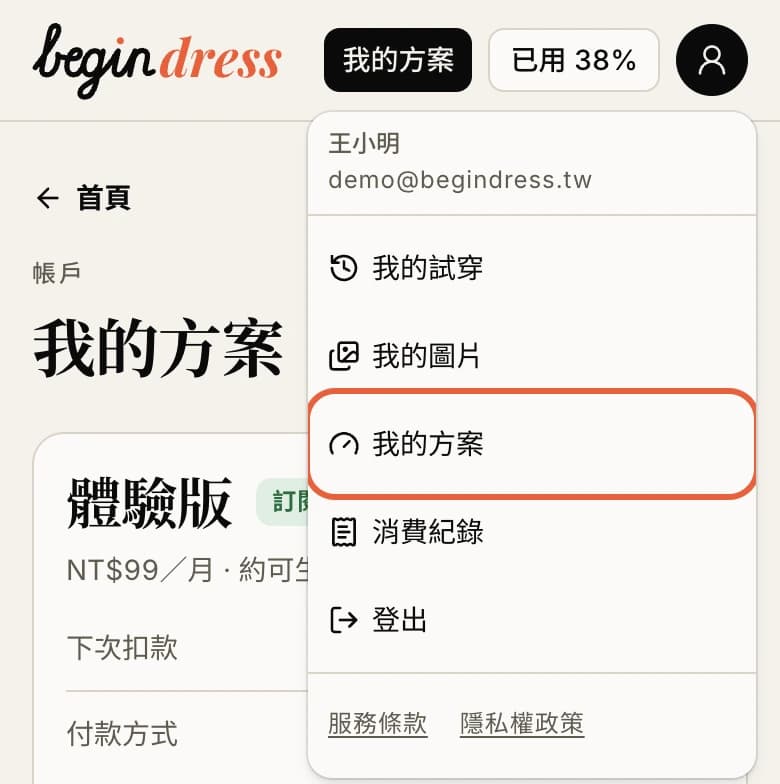
- Sign in and open My plan from the account menu at the top right.
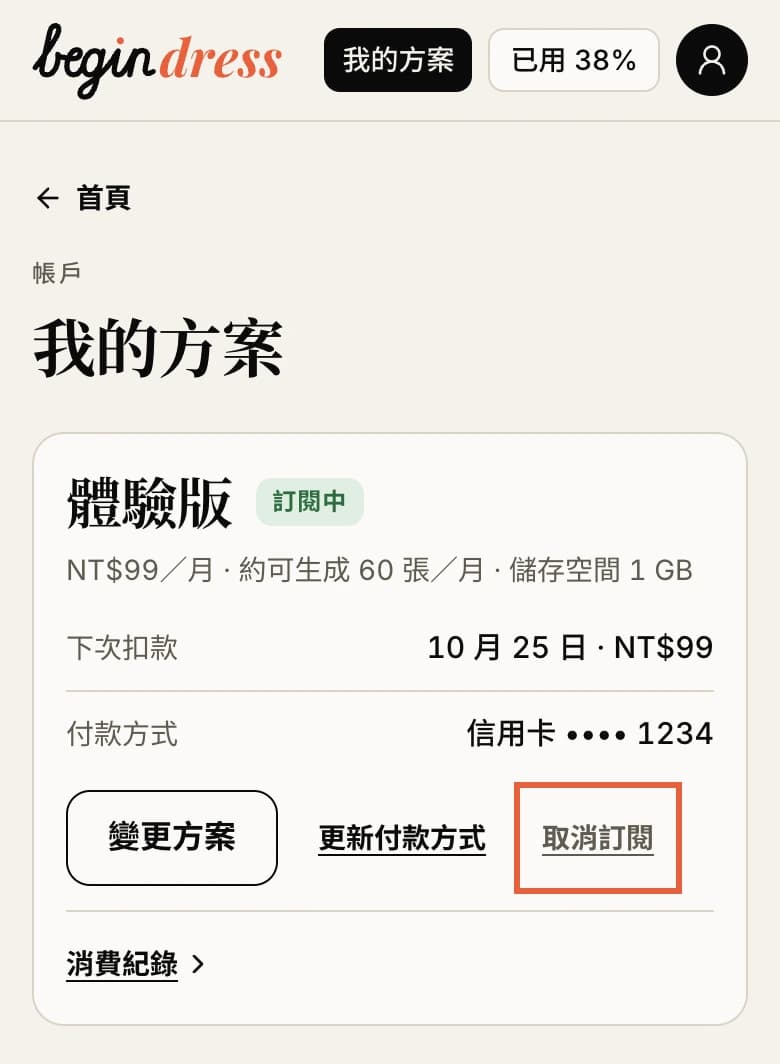
- Press Cancel subscription. The window says until which day the plan runs, and what the quota and storage are afterwards.
- Press Confirm.
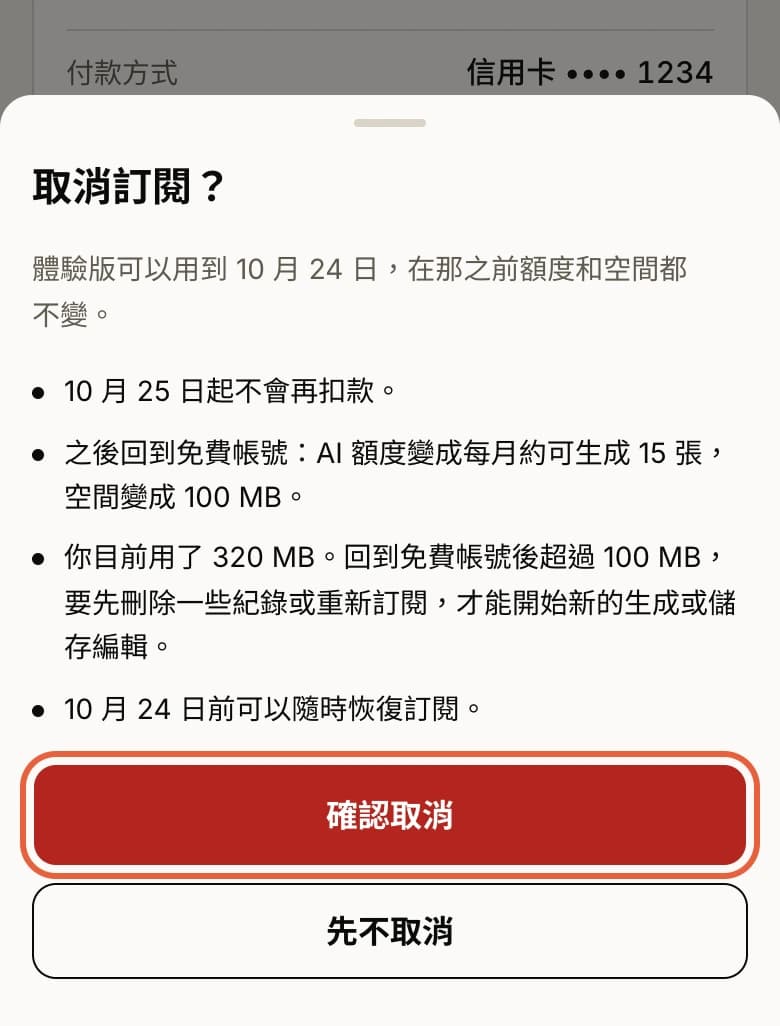
You can do it yourself: no email, and no reason needed.
After cancelling
- Nothing more is charged.
- The month you paid for runs to its end, with the same AI quota and storage until then.
- Then the account goes back to free: about 15 pictures a month of AI quota, and 100 MB of storage.
- Before then you can press Resume subscription on My plan at any time, and the plan renews on its usual date.
- Back on a free account, anything saved beyond the free storage is not deleted, but you have to delete some records or subscribe again before starting a new generation or saving an edit.
Refund rules
- The Service is an online service that can be used immediately after payment. By paying you agree to start using it at once, so the seven-day right to withdraw without reason does not, as a rule, apply after payment, and the fee for the current period and add-on quota already paid are not refunded.
- Exceptions: if you were charged twice or the wrong amount, or a problem on our side left you unable to use the Service for most of the current period, write to welsen@begindress.com and, after looking into it, we refund in full or in proportion.
- Where the law requires otherwise, the law applies.
This is the “Refunds” section of the Terms of Service, word for word: there is one text of it.
How to ask for a refund
In one of the exceptions above, write to welsen@begindress.com with:
- the email address you sign in to BeginDress with
- the date and amount of the payment
- what happened
We look into it and reply with the outcome.
Related pages
Plans and prices: Plans. Payment and renewal: Terms of Service. Anything else: Contact us.